What Is a Wireframe?
A wireframe is a low-fidelity visual guide that shows the structure and layout of a web page. It defines where elements are positioned without styling or imagery — think of it as the architectural blueprint before the building is constructed. Wireframes are used in the planning phase to agree on layout, navigation, and information hierarchy.
The diagrams below show the wireframe for each page on this site, including the navigation, header, content areas, and footer structure.
Legend: Dashed boxes represent content areas | Dark bars represent navigation or headers | Grey blocks represent images | Rounded rectangles represent buttons.
Wireframe Overview — All Pages
Each diagram shows the structural skeleton of one page — navigation, content areas, and footer layout — without applied styling or real imagery.
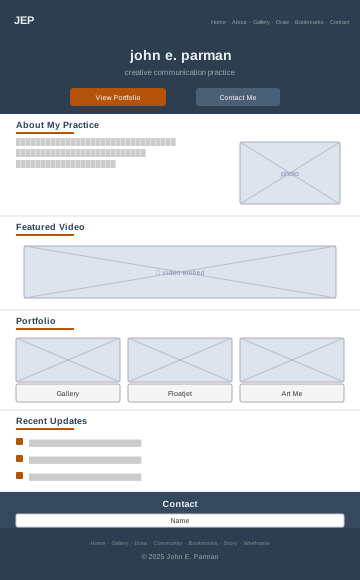


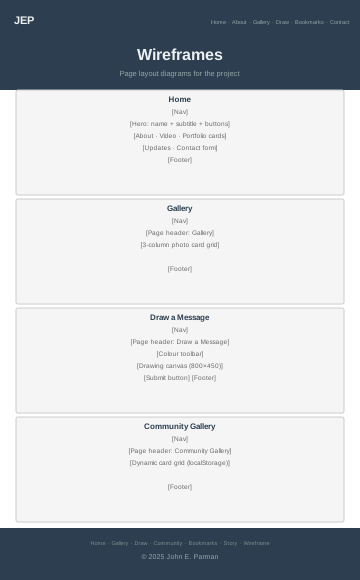
Page 1 — Home (index.html)
Single-page layout with anchored sections: Hero, About, Portfolio, and Contact/Footer.
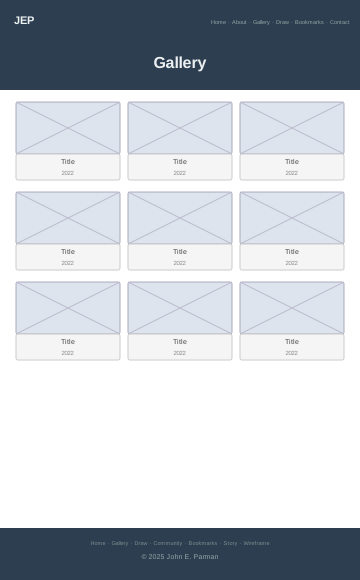
Page 2 — Gallery (gallery.html)
A responsive image grid showing 11 photographic works, 3 columns on desktop, 2 on tablet, 1 on mobile.
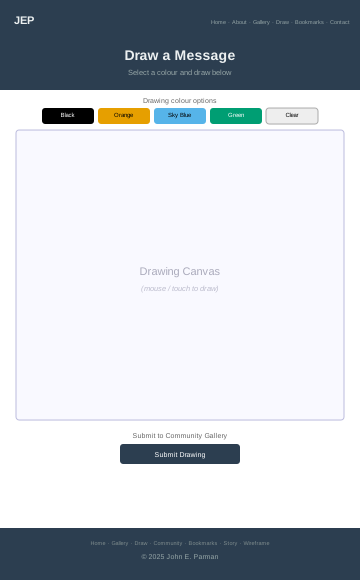
Page 3 — Draw a Message (contact.html)
An interactive drawing tool using the HTML Canvas API, with colourblind-safe colour options and a submit-to-gallery action.
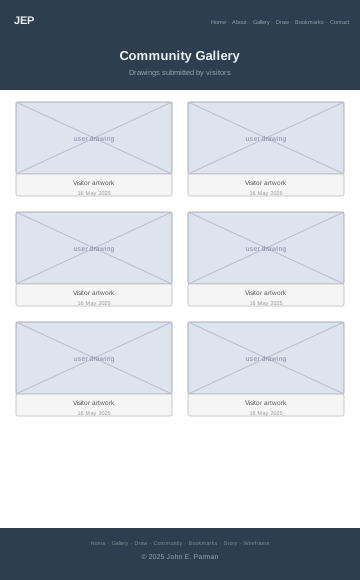
Page 4 — Community Gallery (drawback.html)
Dynamically renders drawings saved by visitors via the browser's localStorage API. Empty state provides a clear call-to-action.
localStorage so no server or database is required. Each visitor sees their own saved drawings. A "No drawings yet" empty state guides first-time visitors to the Draw page.
Page 5 — Bookmarks (bookmarks.html)
A curated reference library organised into categories. Each bookmark card shows a favicon placeholder, title, and brief description. Two categories are shown: Design & Colour Tools and Development & Learning.
Page 6 — A User Story (story.html)
A narrative accessibility case study following Dr. Asha Mehta through four acts: discovery, problem identification, fixes, and outcome. Includes a persona card, issue cards, and fix cards.
Page 7 — Wireframe Design (wireframe.html)
This page itself — an explanation of wireframing, an SVG overview grid of all seven pages, and detailed CSS wireframe diagrams for each page.
Accessibility Design Notes
Colour Contrast
All text colours meet WCAG 2.1 Level AA (minimum 4.5:1 contrast ratio on their background). Dark blue #2c3e50 on white achieves 11.4:1. Dark amber #b45309 on white achieves 5.0:1.
Alternative Text
All images carry descriptive alt attributes that convey meaning to screen reader users. Decorative structural elements use aria-hidden="true".
Keyboard Navigation
A "Skip to main content" link is the first element on every page, allowing keyboard users to bypass the navigation. All interactive elements are reachable and operable by keyboard with visible focus indicators.
Semantic Structure
Pages use semantic HTML5 landmarks: <nav>, <header>, <main>, <section>, and <footer>. ARIA labels distinguish multiple navigation regions.
Colourblind-Safe Palette
The drawing tool uses the Okabe–Ito palette (Black, Orange #E69F00, Sky Blue #56B4E9, Green #009E73) — a set shown to be distinguishable by people with all common forms of colour vision deficiency.
Form Accessibility
All form inputs have explicit <label> elements linked by matching for/id attributes. Required fields are marked with the HTML required attribute (screen readers announce this automatically) and a visible asterisk () next to the label. A note above the form explains the asterisk convention.